
Desktop appAlpha 0.1.1
Watch Claude build your design system
Your page, live, while Claude works on it. One system every page follows. On your own Claude plan, in a real terminal.
Windows · Linux: .deb for Ubuntu and Debian, AppImage for the rest · macOS soon · all versions
See it happen
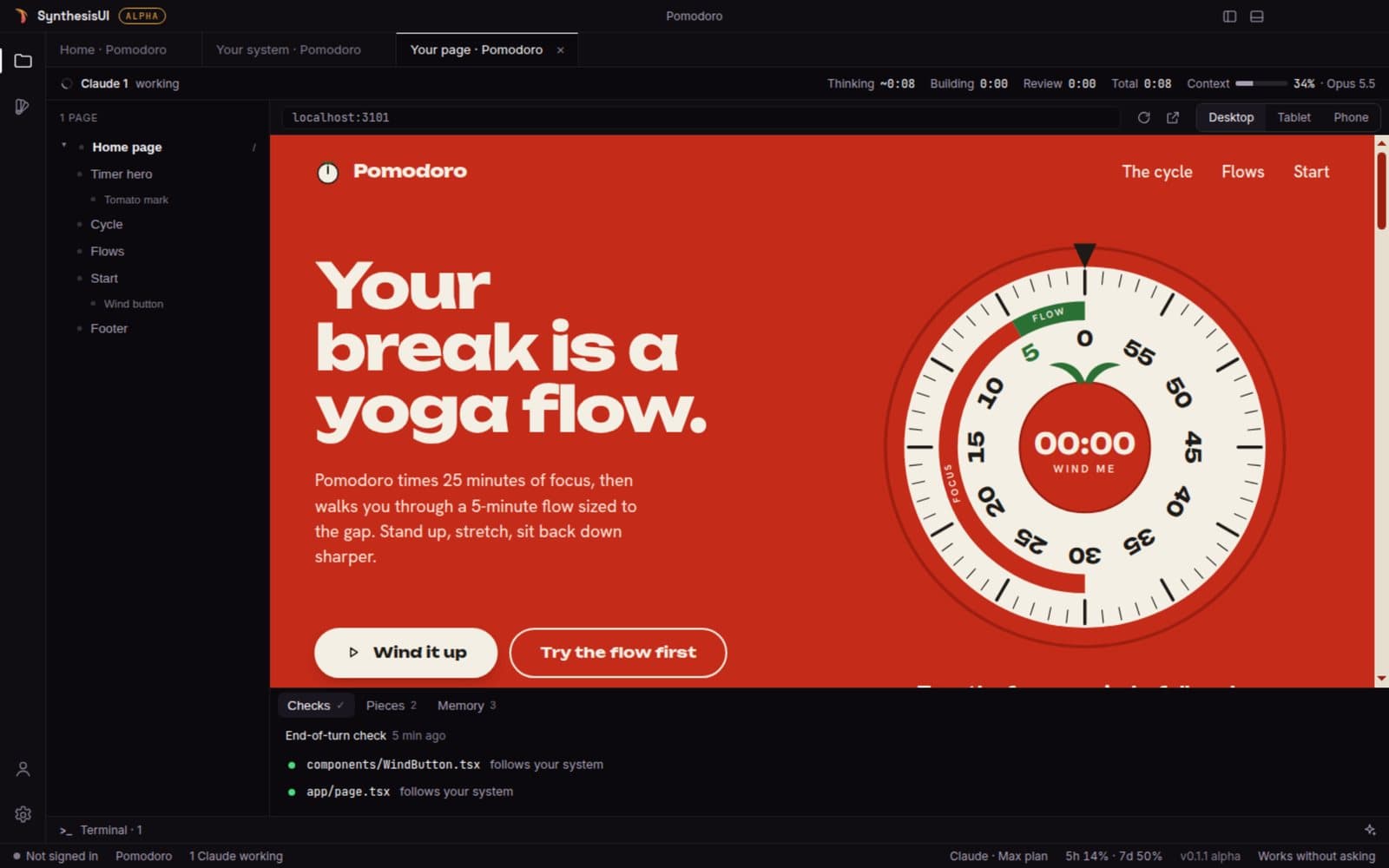
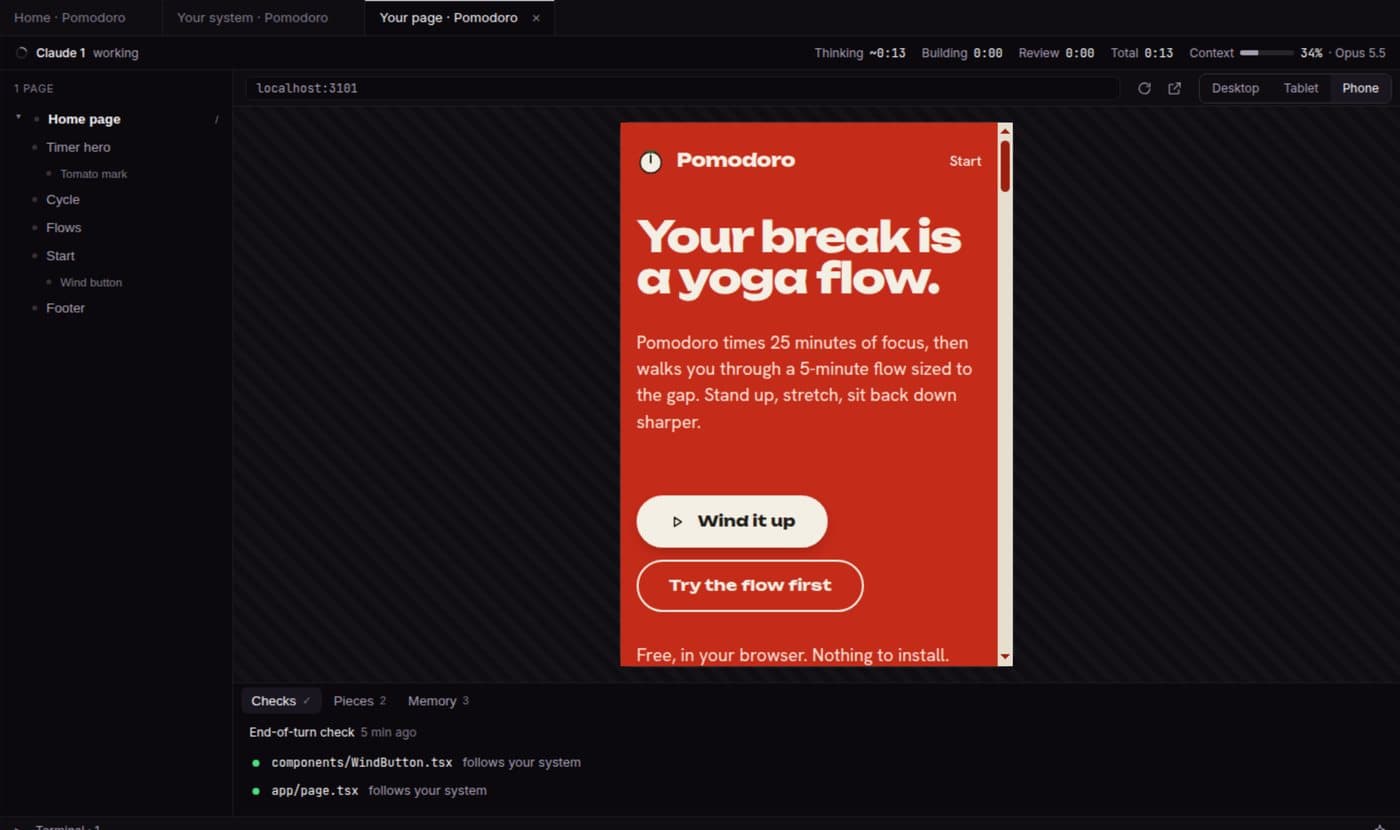
The page comes together while Claude builds it
Every section of your page in a tree. The one Claude is touching lights up, and the page scrolls to it.
- Desktop, tablet and phone in one click
- Thinking, building and review time, live
- A check at the end of every turn
One system
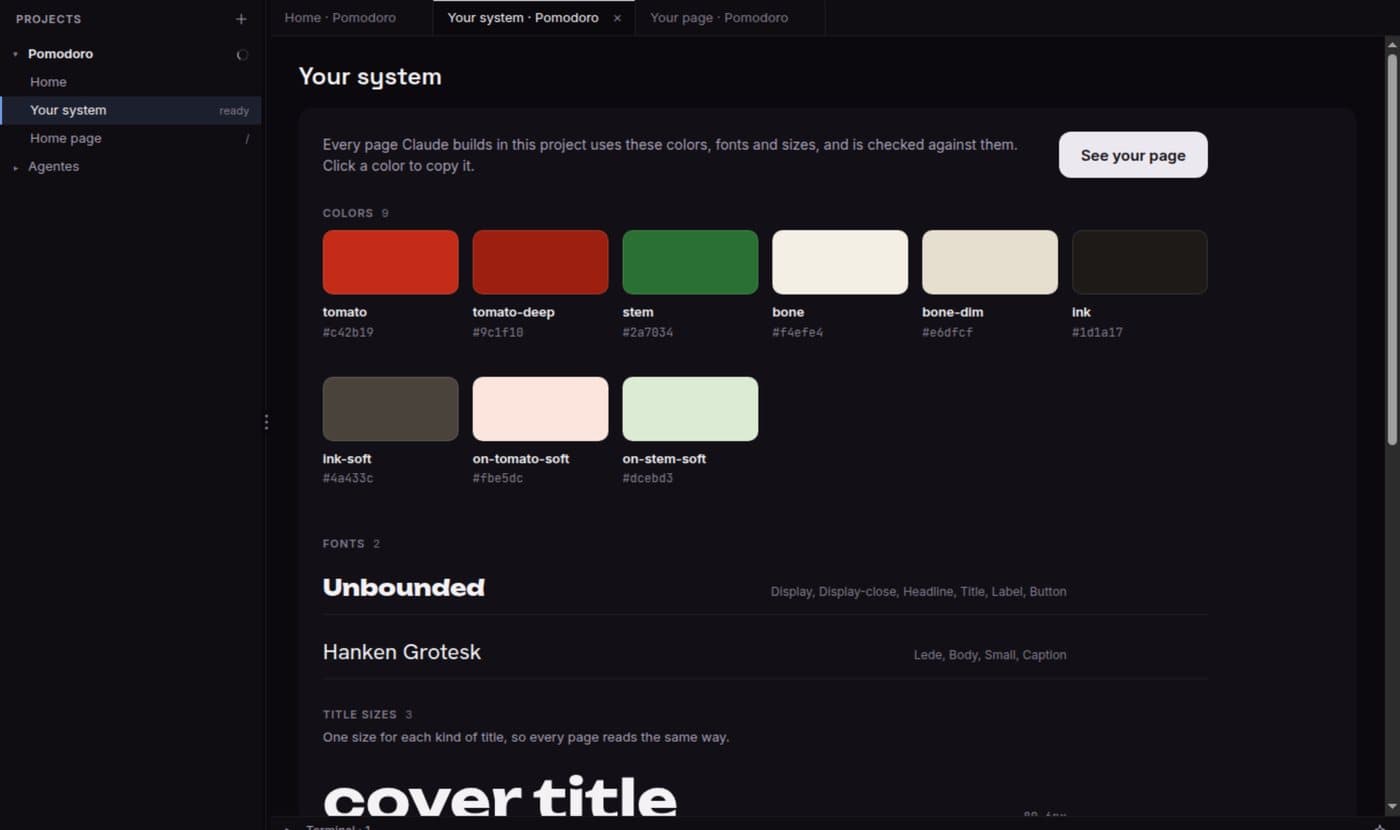
Colors, fonts and sizes that every page follows
Claude reads what you already have and turns it into your system. Every page after that is checked against it.
More hands
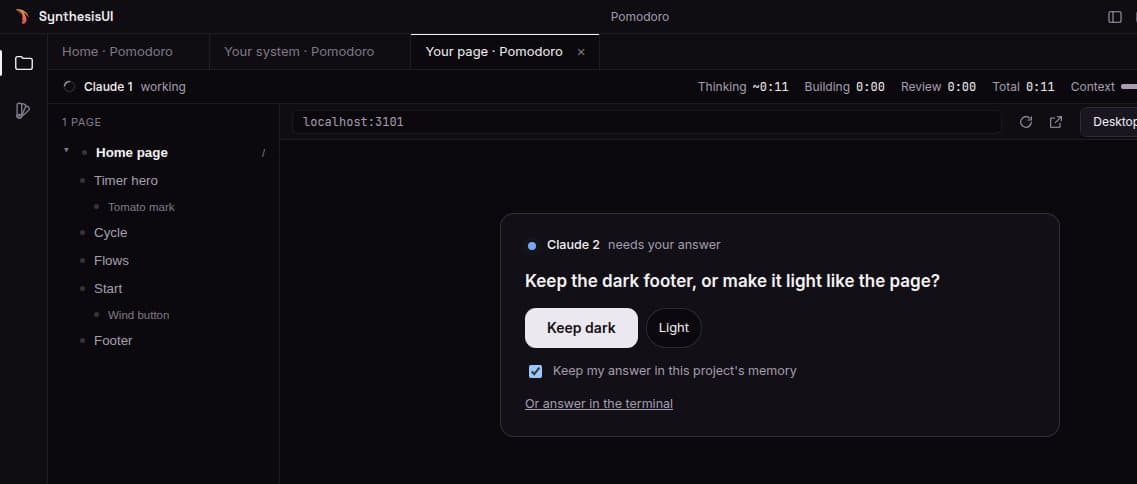
Several Claudes on one project
Each one in its own terminal, each one showing what it is doing. When one needs you, the question comes to you - answer with a click.
From download to your first page
- 1InstallOpen the file. It installs in seconds.no admin password
- 2Sign inOne click in your browser. New here? Your account is created right there.GitHub, Google or email
- 3Connect ClaudeThe app installs Claude Code if it is missing, and you sign in to your plan.measured: 20-35 s on Windows
- 4BuildPick a folder, say what you want. Watch.your first page
What's new
- Windows setup that does not give up. If the official Claude Code installer fails, the app installs it another way.
- Alpha, said out loud. The app shows it is an alpha, next to its name.
- First release. Your page live while Claude builds it, one system every page follows, several Claudes on one project, undo, your plan limit handled, and updates in the background.
What alpha means
This is the first release. It works, and it will have rough edges. It updates itself, so fixes arrive without a new download.
The app is not signed yet, so your computer warns you the first time you open it. That is expected. Here is how to open it anyway:
- 1Open the file you downloaded. Windows shows “Windows protected your PC”.
- 2Click More info, then Run anyway. It installs in a few seconds and opens.